What Controller to use to switch a digital output channel at a given date/time (optional: depending on feed to grid)?

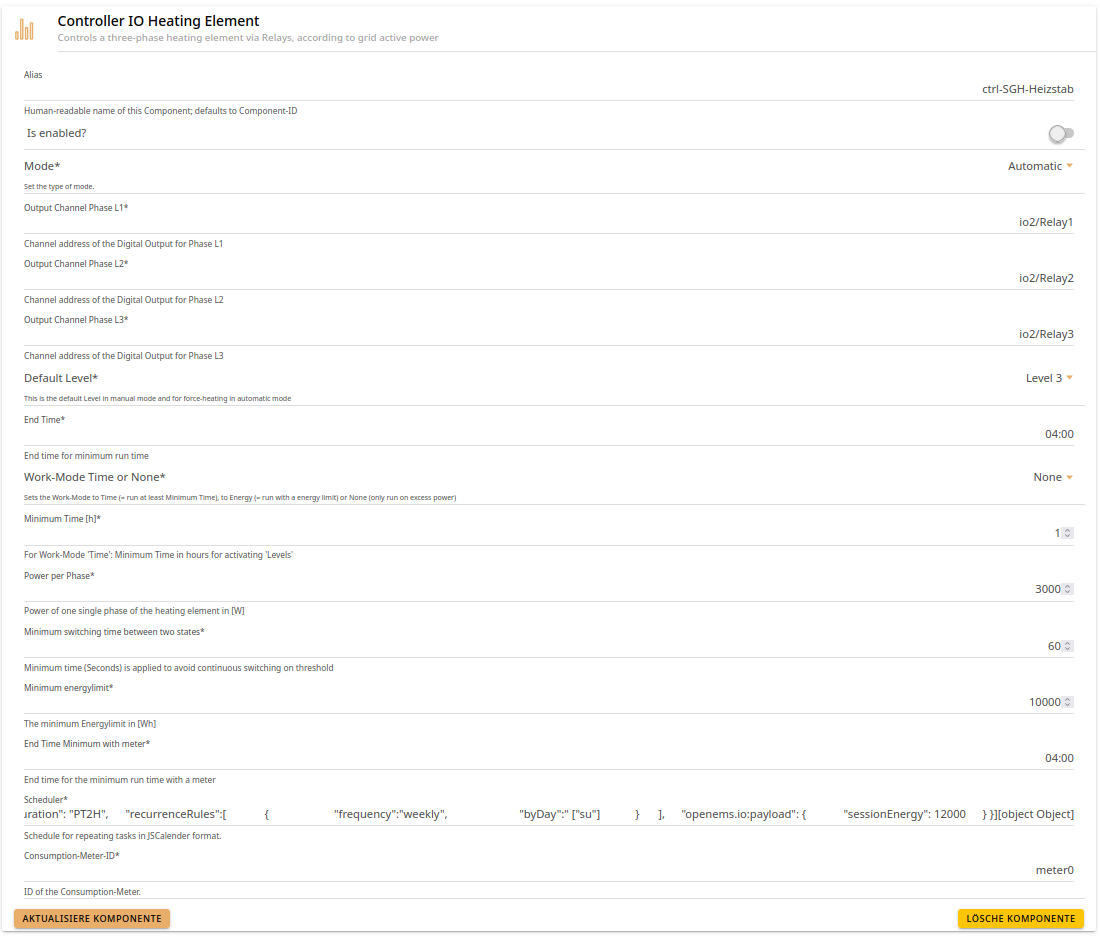
A device (a heating element) should be powered up for a given time frame[1] once a week. Which controller would be best suited for this usecase? I had a look at the Controller IO Heating Element but it seems a bit over-complicated for our use case. Is there a better suited controller? Additionally, I’m not sure how to provide the date parameter in JSCalender format to the Controller IO Heating Element. I found following example in ControllerHeatingElementImplTest9.java:

{
	"@type":"Task",
	"start":"08:00:00",
	"duration": "PT12H",
	"recurrenceRules":[
		{
			"frequency":"daily"
		}
	],
	"openems.io:payload": {
		"sessionEnergy": 12000
	}
}

But to be honest, I’m not sure how to translate that to the input field in the controller set-up screen of the UI. Would { "frequency":"weekly" } be enough for the Scheduler input field?

Note: A more advanced controller algorithm would make use of a time frame with feed to grid within the upcoming seven days and/or a time frame with the cheapest price to optimize the energy usage/price. Main guardrail is running the device at least every seven days.


  1. Actually, until a given temperature is reached, but right now we don’t have access to the temperature sensor, thus we will empirically analyze the time needed to heat up. ↩︎

Hi sjjh,

I would say if you want the heating element to work once or twice a week, you can create a task something like this:

[{
"@type": "Task",
"uid": "8749fd94-ef00-49f9-8e09-524477675ca6",
"updated": "2026-07-14T12:12:20.556727421Z",
"start": "2026-07-14T20:00:00",
"duration": "PT1H",
"recurrenceRules": [{
"frequency": "weekly",
"byDay": ["mo", "we"]
}],
openems.io:payload”: {
“sessionEnergy”: 12000}
}]

What kind of heating element it is?

Thanks for the example @alex.belke!

So, the mentioned controller Controller IO Heating Element is the best one?!

Just to get it right for me:

"uid": "8749fd94-ef00-49f9-8e09-524477675ca6",
"updated": "2026-07-14T12:12:20.556727421Z",

is missing in the test-example. Can I assume that these are optional fields?

"start": "2026-07-14T20:00:00",
is only using a time value in the test-example. Can I assume that a time value is enough?
Is it correct, that this is the time of the day when the device would start heating?

"duration": "PT1H",
I have no idea what the PT is meant for, but I assume that the 1H means to turn it on for one hour, correct?

“sessionEnergy”: 12000
What does this value mean? What do I need it for?

Can I somewhere find a specification/example of the JSCalender format that is a little more concise than the 100 pages IETF RFC?
Edit: I did find JSCalendar that let me locate keywords in the RFC (and uid and updated seem to be mandatory). Still maybe an online generator with some examples would be a nice tool. :slight_smile:

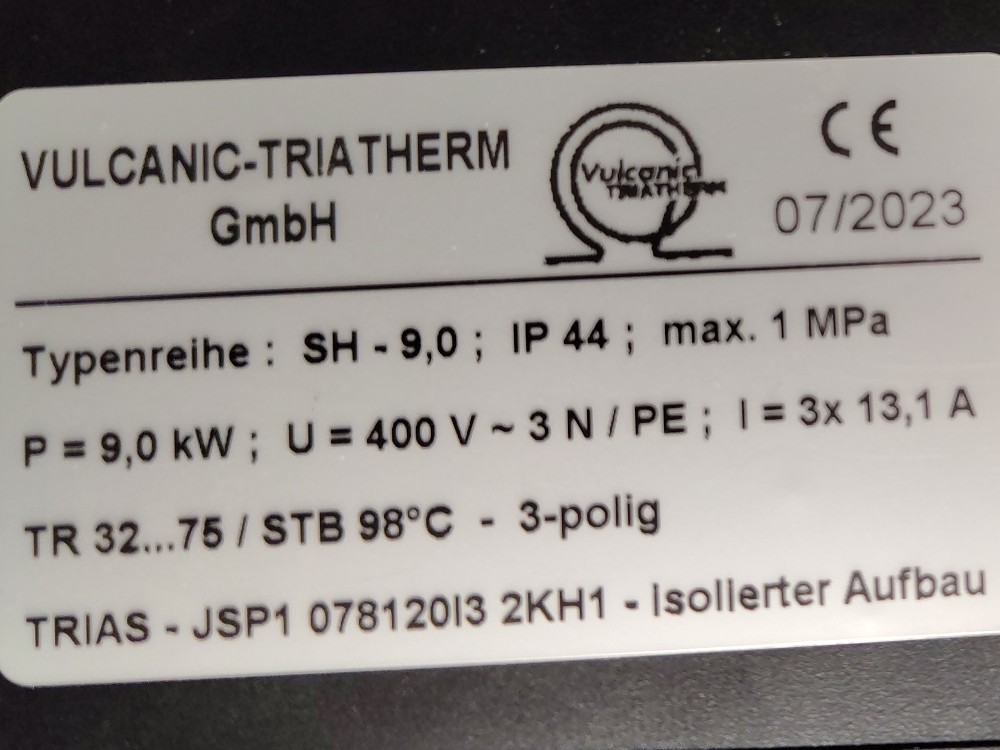
It’s a three phase heating element (if this is the kind info you were referring to). It’s a Trias - JSP1 078120I3 2KH1 by Vulvanic-Triatherm GmbH.

Would below screenshot show a sensible configuration for the controller component (some of the fields seem not necessary to me)?


Scheduler:

[{
	"@type":"Task",
	"start":"02:00:00",
	"duration": "PT2H",
	"recurrenceRules":[
		{
			"frequency":"weekly",
			"byDay":" ["su"]
		}
	],
	"openems.io:payload": {
		"sessionEnergy": 12000
	}
}]

Why did I ask for type of heating element? :grinning_face: We have two heating elements that are already implemented. Askoma Heating Element and my-PV Heating element

I thought if your heating element is one of those. Then they would be better option to take. For all others I would say Controller IO Heating Element is the way to go.

Regarding uuid and updated fields, I thinks they could be optional. You can try it out. Just in case If you would use uuid, it must be unique.

PT means ‘Period of Time’. The time format is standardized according to ISO 8601. For example PT1H30M15S - 1 hour 30 minutes 15 seconds.

“sessionEnergy”: 12000
What does this value mean? What do I need it for?

sessionEnergy is how much energy has already been produced in the current heating session (Wh).
In WorkMode.ENERGY, the controller compares this value with the target (energyLimit) to see how much is still missing.
It uses that to decide if the target is already reached (DONE), still possible, or UNREACHABLE.
It also calculates timeToForceHeat — the latest time forced heating must start to still reach the target before end time.
So in short: sessionEnergy and timeToForceHeat are only relevant for energy-target control (WorkMode.ENERGY).

openems.io:payload”: {
“sessionEnergy”: 12000
}

It means “Between 02:00 and 04:00, deliver at least 12 kWh.”

sessionEnergy in task payload is the energy target in Wh (used in WorkMode.ENERGY), e.g. 12000 = target 12 kWh in that task window.
If you only want “run for 2h”, use WorkMode.TIME in config; this is usually simpler.
In TIME mode, sessionEnergy is currently still required by payload schema, but control logic does not use it (0 is fine).
Schedule does not override Mode; Mode (AUTOMATIC/MANUAL_*) and WorkMode are taken from config.
Schedule mainly defines when the controller is active (within automatic operation).

Just a quick heads up: It was now decided that using the time frames with surplus or at least lower electricity prices have priority. As we couldn’t trick OpenEMS in handling the heating element as a EVCS (and using a feed to grid depending controller), we are back to using the Single Threshold Controller with the _sum/GridBuyPrice as value. Ensuring to run the heating element once a week is currently done manually.